Case study · Singapore Airlines
From booking list to travel overview
A two-phase redesign that helped KrisFlyer members review booking status, itinerary and passengers without navigating to Manage Booking.
Key outcome
After the final release, rage clicks decreased by 10.92%.
The challenge
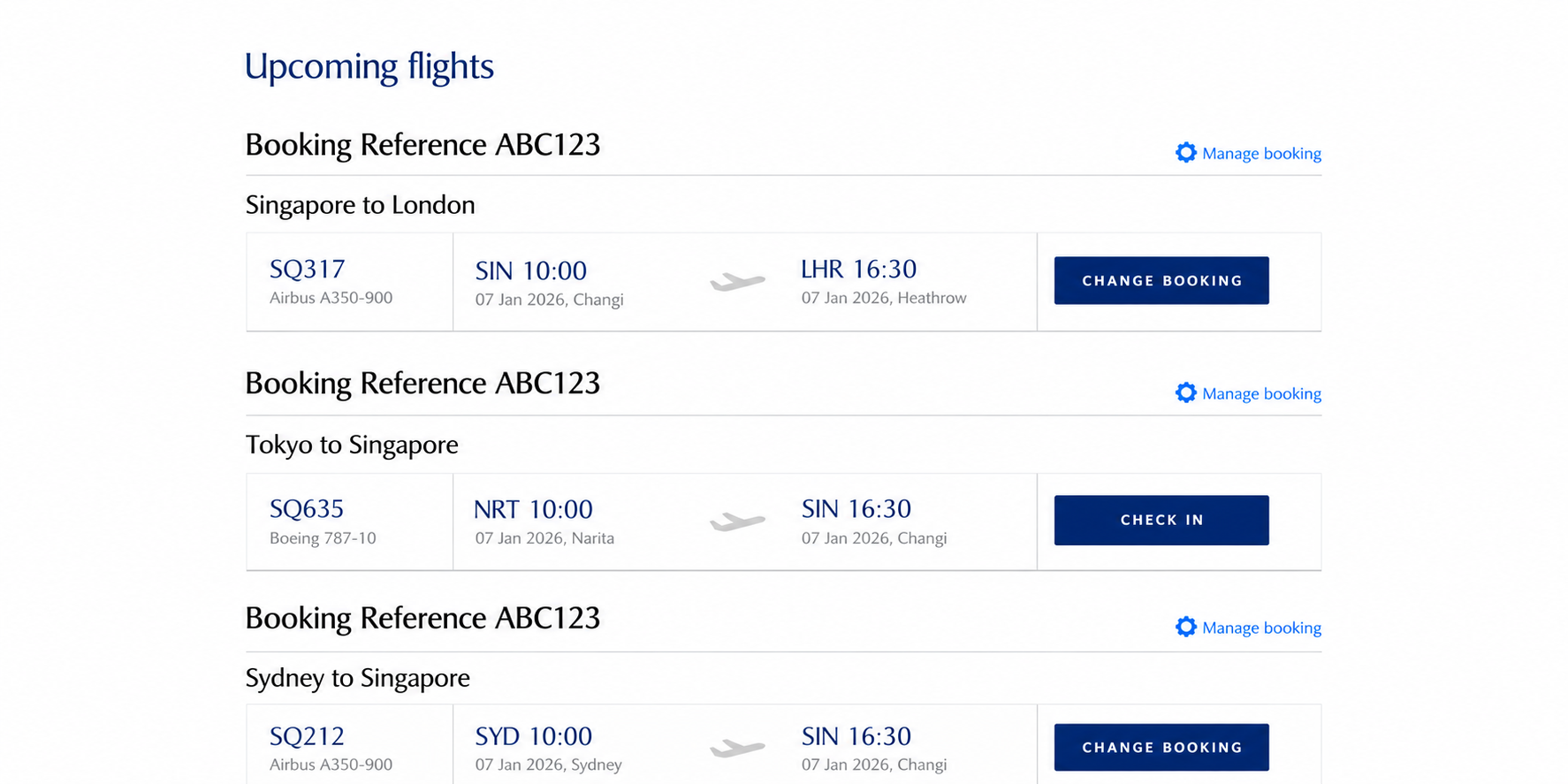
The original list did not show enough detail for users to understand each booking at a glance.
Users repeatedly opened Manage Booking to check status, passengers and flight details. Some also rage-clicked (repeatedly tapped) city names, expecting the flight card to reveal more information.
What I found
Behavioural analysis showed that the list was not meeting users' expectations as a travel overview.
- Users repeatedly moved between Upcoming Flights and Manage Booking to find the information they needed.
- Users rage-clicked city names, suggesting they expected the flight card itself to reveal further information.
My approach
I reviewed behavioural patterns in the existing journey, carried out brief benchmarking and used the SingaporeAir app as the primary reference for a more consistent cross-platform experience.
The work was delivered in two phases. Phase 1 addressed the information gap within the familiar layout. Phase 2 introduced a more complete, app-aligned card design.
Phase 1
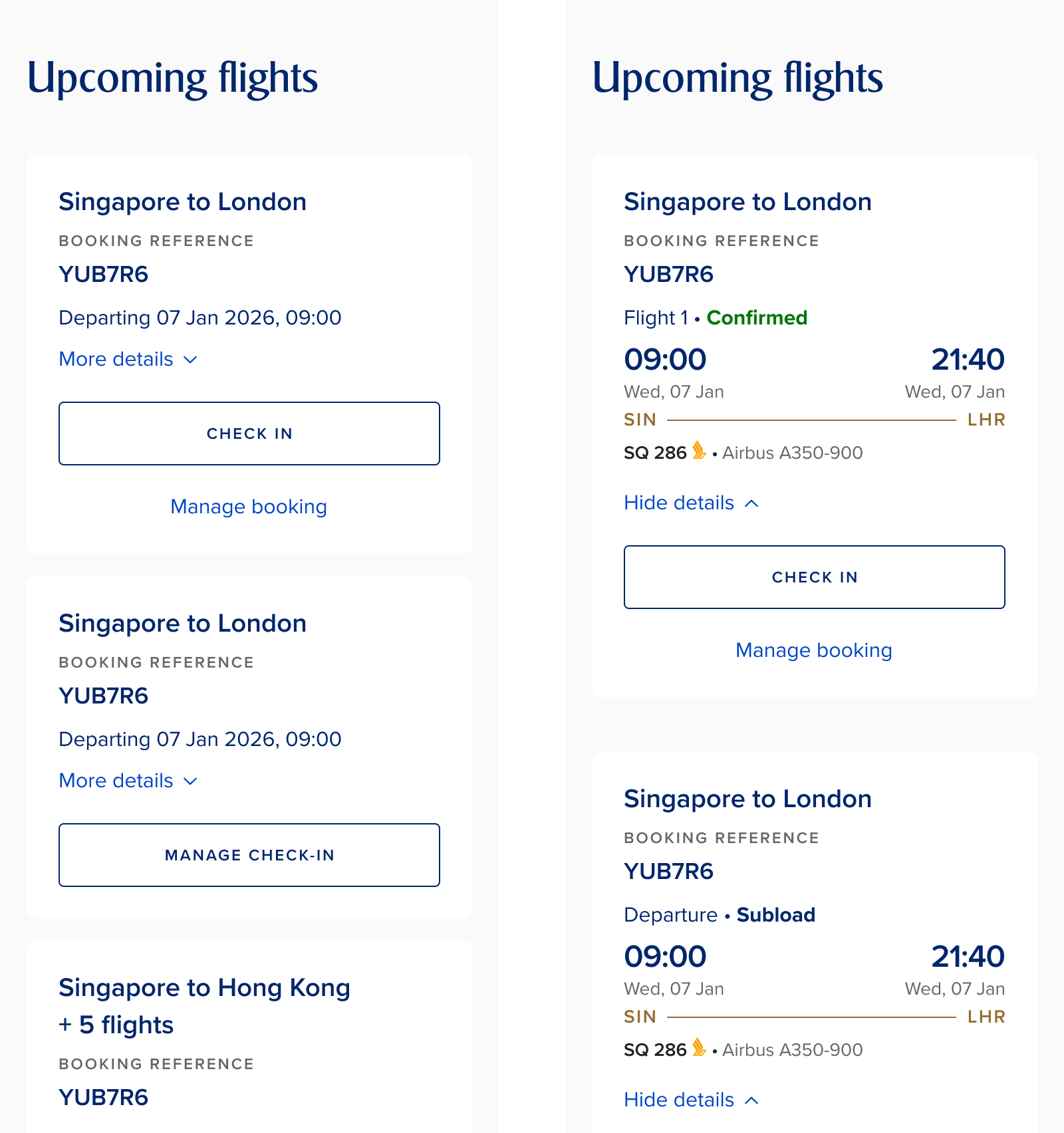
Surface essential booking context within the familiar card pattern.
- Added booking status, flight detail and actionable alerts.
- Let users expand a card instead of leaving the list for basic context.
Phase 2
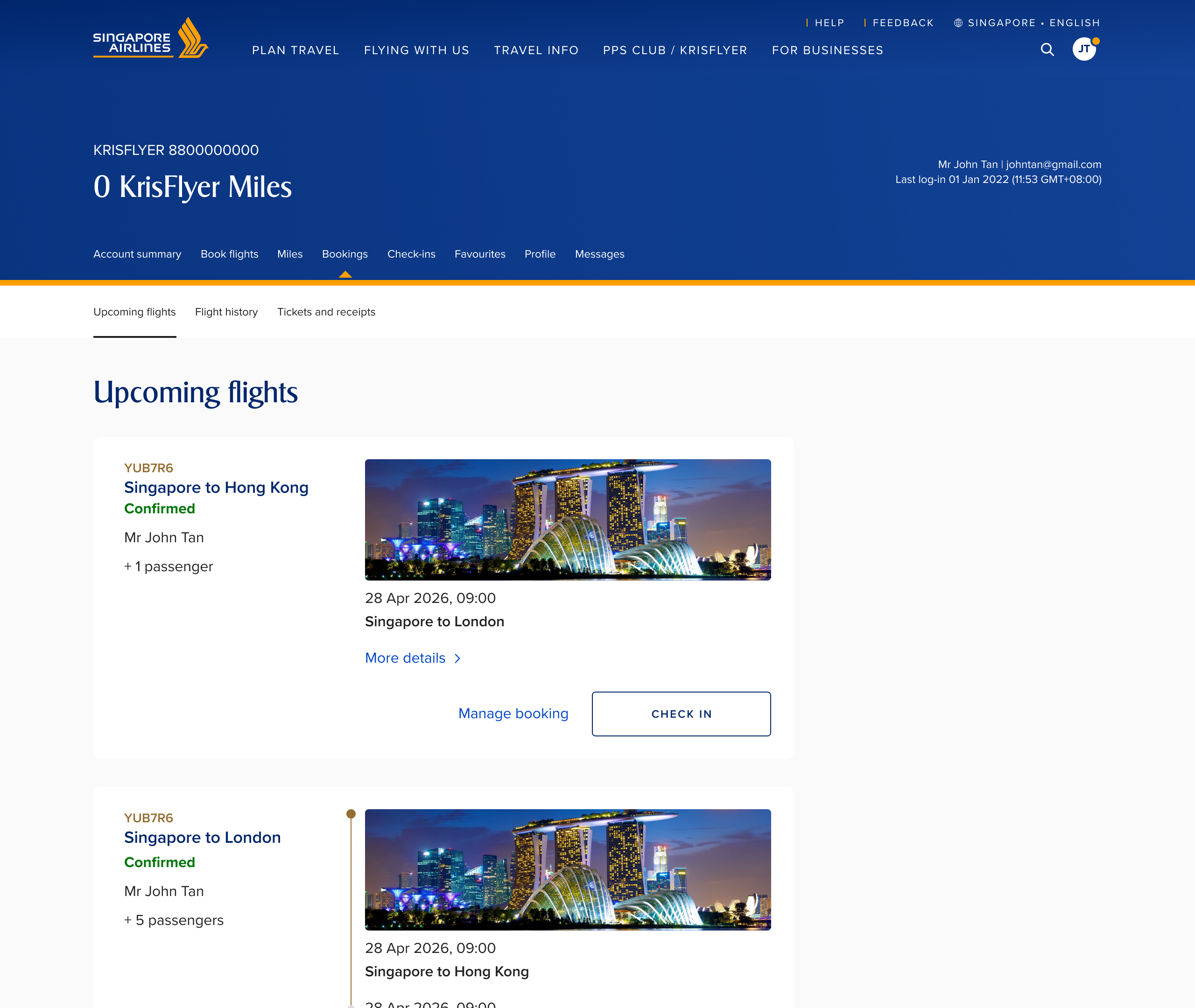
Make each booking recognisable at a glance.
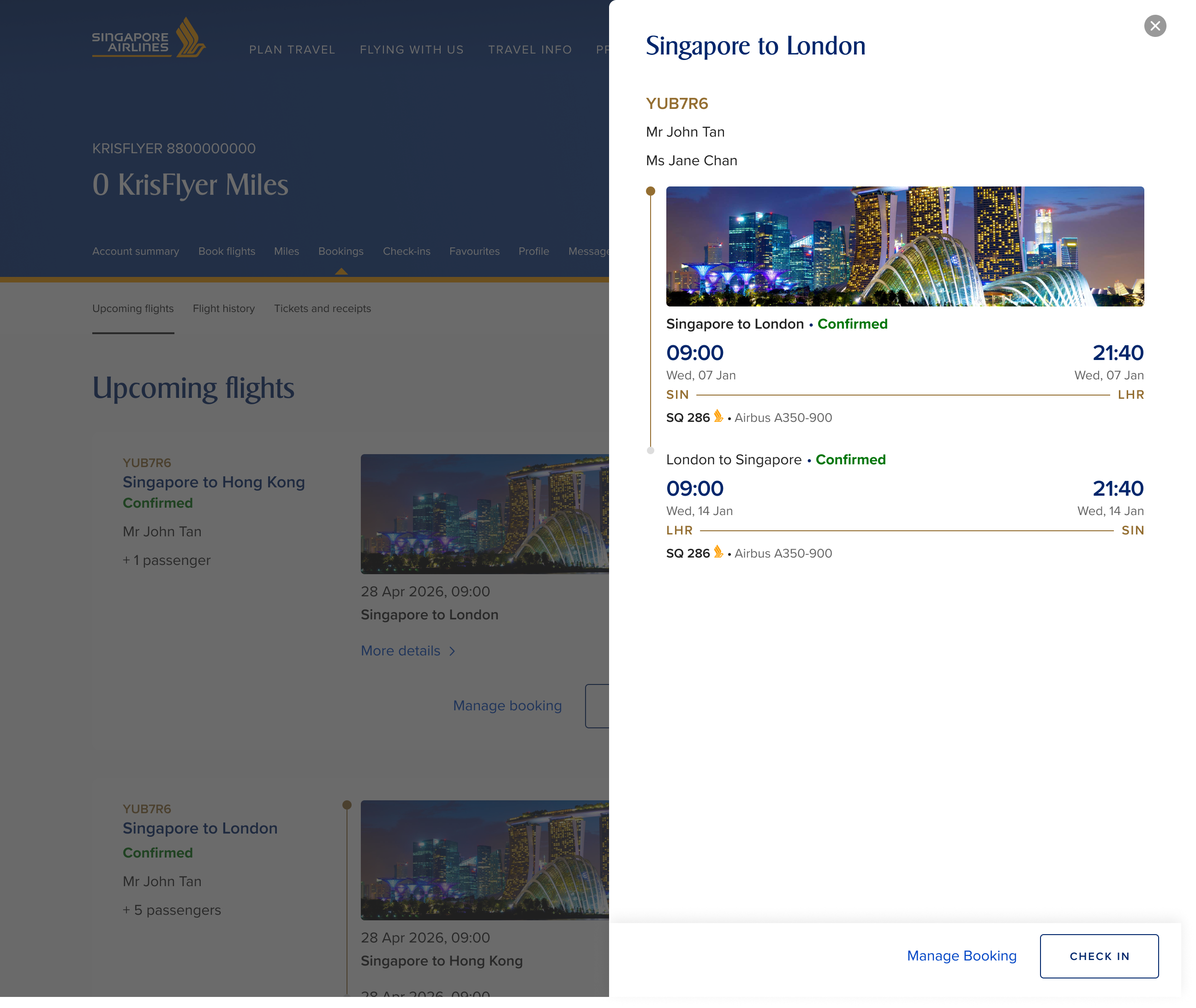
- Added passenger names and a slide-in panel for richer flight detail.
- Aligned the card to the app and made the entire flight tile interactive.
Outcome
10.92%reduction in rage clicks after the final release
Clearer information and a broader interactive target reduced the need to leave Upcoming Flights for booking context.
Reflection
A booking list is more than a directory of links. Users need enough context to decide whether they need to act before navigating away.
The phased approach allowed the team to deliver an immediate improvement while creating a stronger, more consistent experience for users managing multiple bookings.
Next