Case study · Singapore Airlines
Bringing direct support into the app
A new in-app calling feature that gave users a direct, toll-free way to reach customer service, with a clearer way to return to an active call.
Key outcome
Positive survey feedback increased from 78% to 91.3% after the return-to-call enhancement.
The opportunity
Users needing urgent help did not always have a direct way to reach customer service.
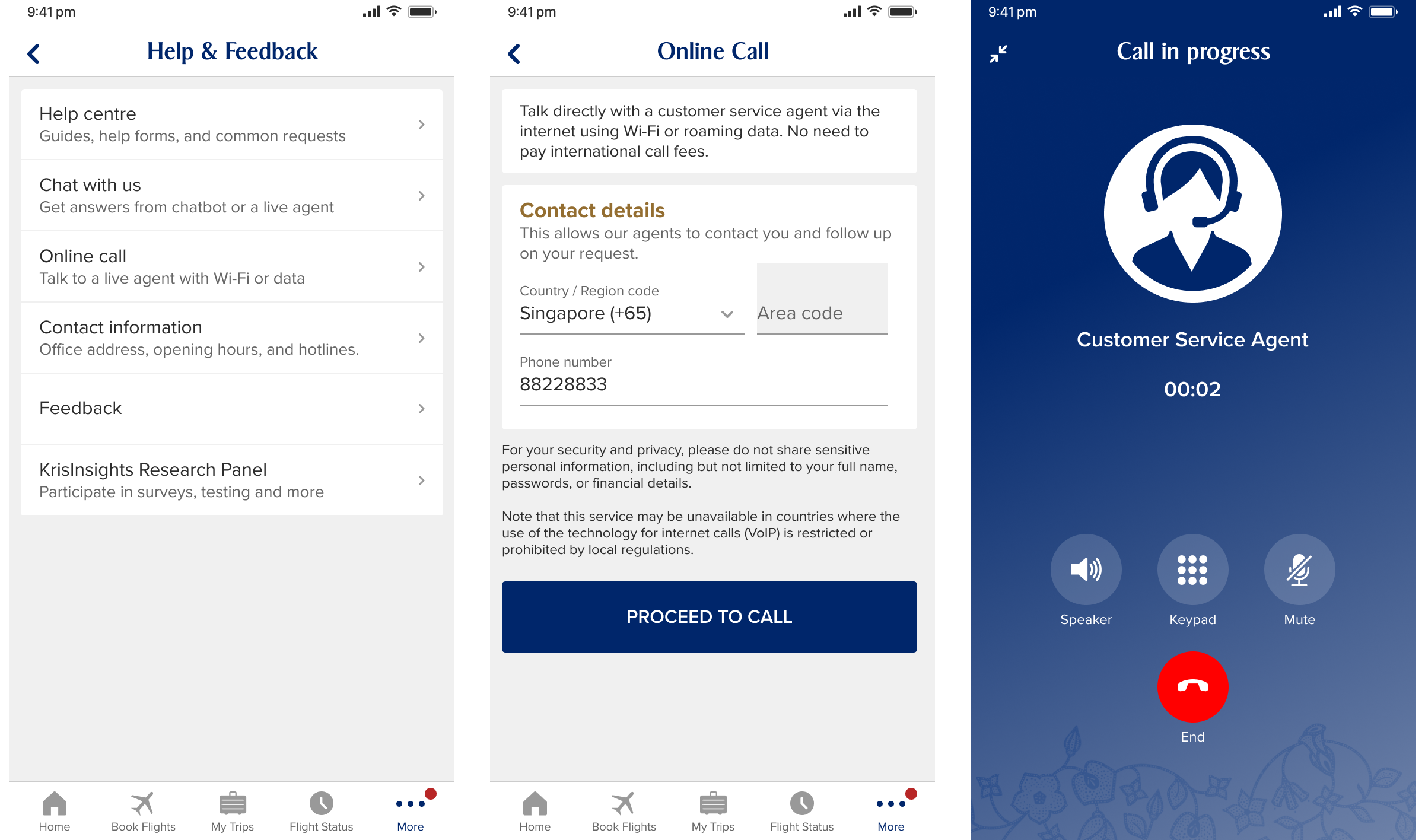
Online Call introduced a direct, toll-free route to an agent through Wi-Fi or mobile data, rather than waiting for a callback.
My approach
I benchmarked familiar internet-calling experiences, including Microsoft Teams, WhatsApp and Telegram, to understand common call patterns and user expectations.
- Make Online Call easy to find from Help and Feedback.
- Set expectations before calling, including service information and contact details.
- Design a clear, focused in-call experience.
- Test how users would return to an active call after navigating elsewhere in the app.
The new feature
Online Call enabled a direct, toll-free call to a customer-service agent through Wi-Fi or mobile data.
- An entry point from Help and Feedback.
- Service information and contact details before calling.
- A dedicated in-call screen with call controls.
- A system-level call notification when users left the call screen.
The design decision
I tested two ways for users to return to an active call after navigating elsewhere in the app.
Design A
System-level notification only
A familiar iOS call-notification pattern, with no in-app indication that the call was still active.
2 of 4 users returned to the Online Call screen.

Design B
Floating in-app button
A visible in-app control that returned users to the active call.
4 of 4 users returned to the Online Call screen.
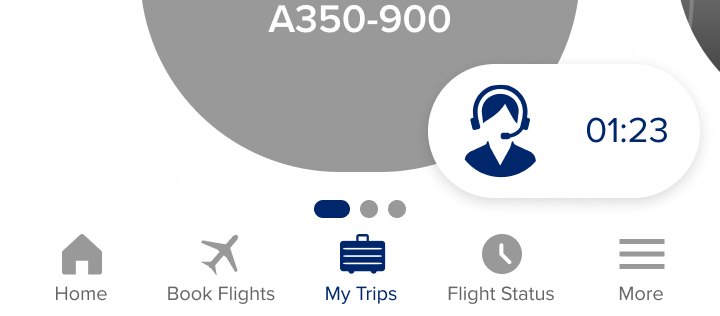
The floating button improved task completion, but could obscure page content. I used that learning to design a persistent return path that remained visible without covering the app.
Final design
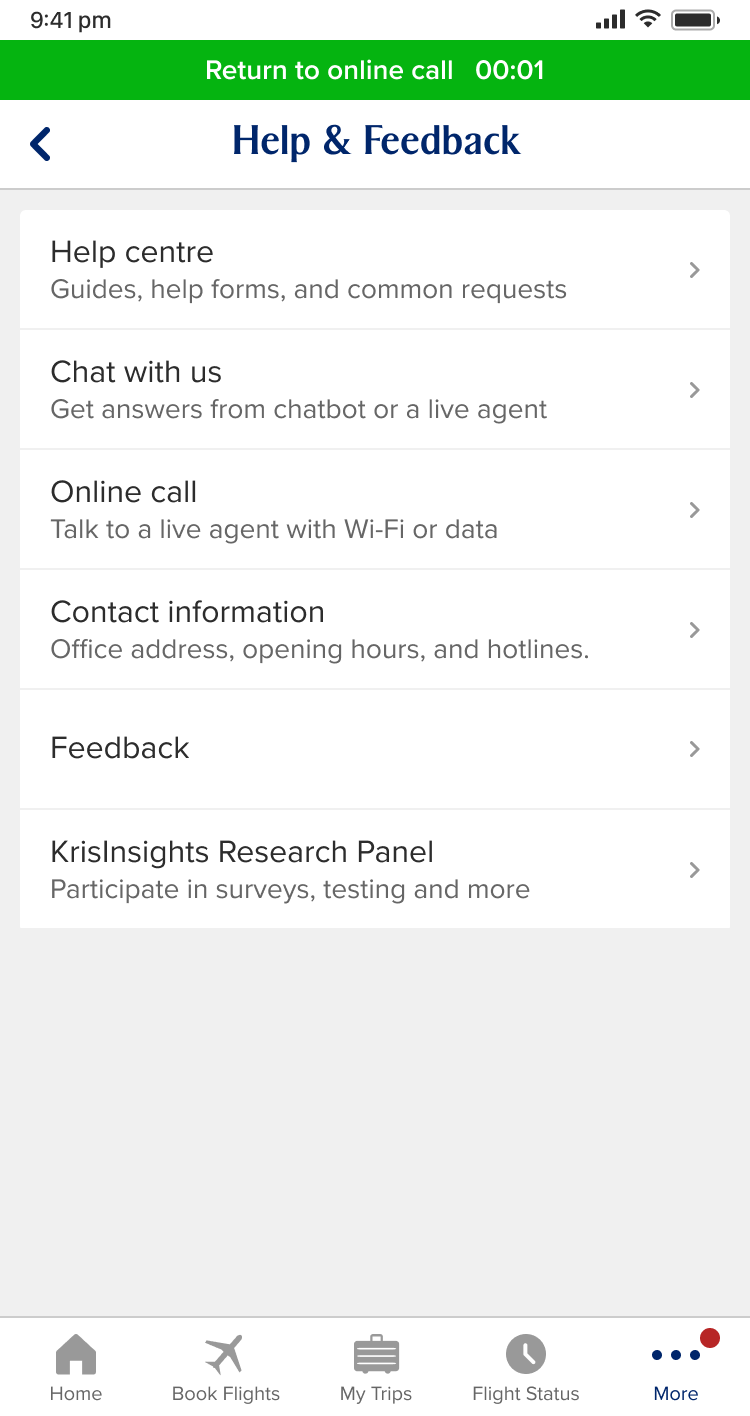
A persistent Return to online call banner gave users a visible route back from any page without obscuring the underlying screen.
Outcome
Positive survey feedback increased from 78% to 91.3% after the return-to-call enhancement.
Reflection
A direct calling feature is only useful when users can stay oriented after the call begins. Supporting an active call required more than an in-call screen or operating-system notification. It required a clear, persistent way to return from the wider app journey.
Next